

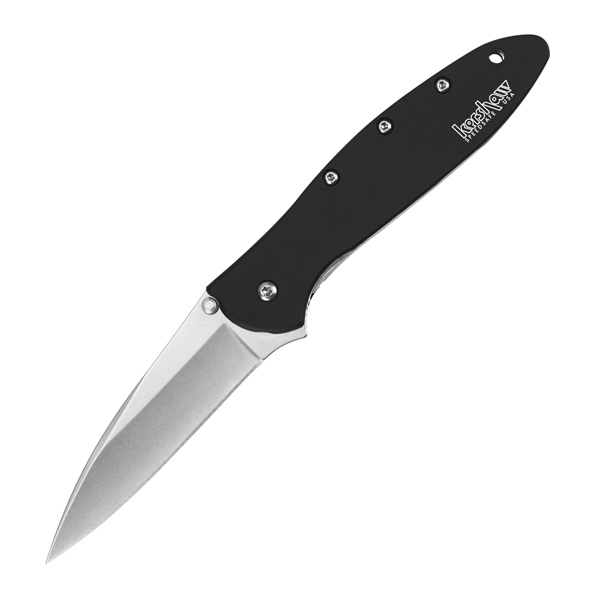
Kershaw 7851 Launch 19 Automatic 3.30" Folding Clip Point Plain Black Satin Cerakote CPM 154 SS Blade, Black Aluminum/Brown G10 Handle
 Be the first to leave a review!
product code:7851
UPC:087171066691
Brand:Kershaw
availability:Currently out of Stock
Notify me when this product comes back in stock
The Launch 19 brings high quality materials together like no other automatic. Its standout handle is constructed with black-anodized aluminum and earth brown G10 for a stunning and comfortable design. Equally stunning is the CPM 154 blade sporting a satin and black Cerakote two-tone finish. The clip point blade performs sharply during work tasks and the finger choil allows users to choke up on the knife for detail work. Extra features include a bronze-anodized titanium tube spacer a reversible deep-carry pocket clip and a lanyard hole. The Launch 19 looks sharp opens with authority and cuts even better.
- Made in the USA; tactical work knife
- Black-anodized aluminum and earth brown G10 combo handle; includes finger choil for extra grip and bronze-anodized titanium tube spacer
- The CPM 154 powdered metallurgy blade steel takes and holds an excellent edge provides corrosion resistance wear resistance toughness; high contrast blade finish with black Cerakote flats and satin grinds
- Low-profile push button makes it harder for blade to accidentally deploy; deep-carry pocket clip is easily reversible for left/right carry
COMPLY WITH ALL LOCAL STATE AND FEDERAL REGULATIONS REGARDING THE PURCHASE OWNING CARRYING AND TRANSPORTATION OF AUTOMATIC KNIVES.
Leave a Review!
you may also like!

Please contact the website administrator.
| The following information is meant for the website developer for debugging purposes. | ||||||||||||||||
| Error Occurred While Processing Request | ||||||||||||||||
|
||||||||||||||||